


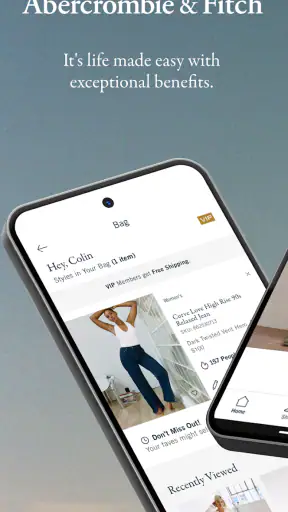
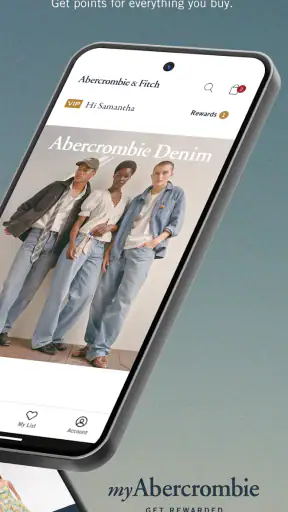
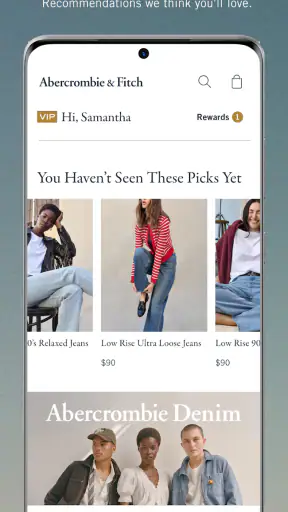
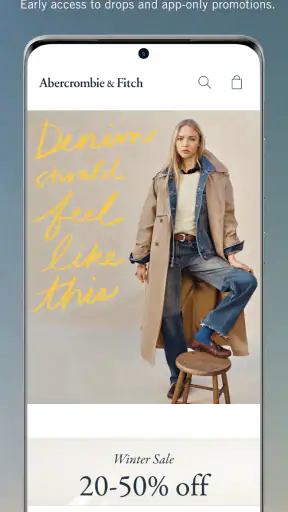
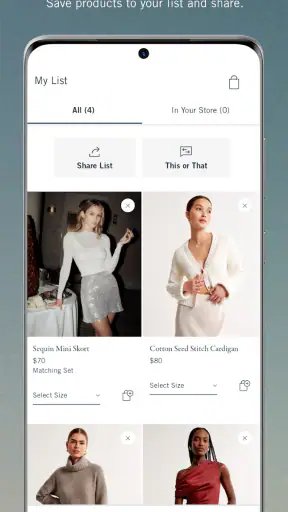
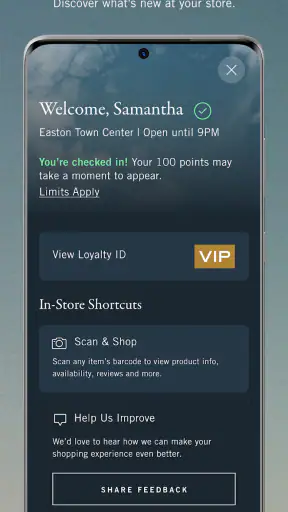
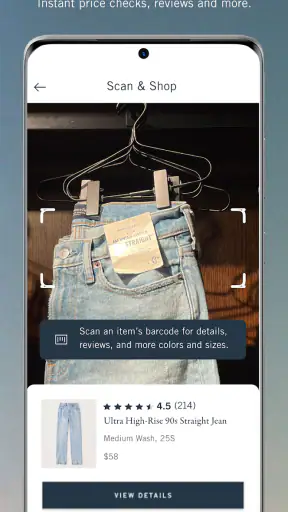
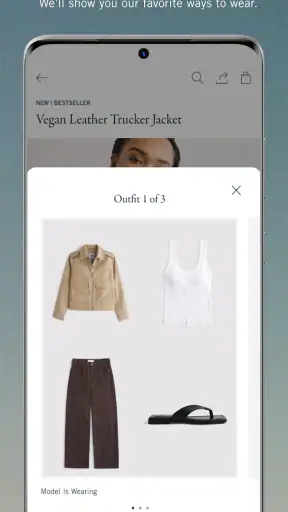
I found the Abercrombie & Fitch shopping app most useful when I already had a clear idea of what I wanted and needed a more focused way to browse the brand’s clothing than visiting a general marketplace. It puts the company’s own range in one place, with the brand’s visual style left intact instead of being mixed with unrelated sellers. In my experience, that makes it feel less like a broad shopping search tool and more like a digital storefront for people who already know they want Abercrombie & Fitch.
The app is free, aimed at Everyone, and comes from Abercrombie & Fitch Co. It has been available since Jun 29, 2015, and its current version is 10.2.0 for devices running iOS 11 or later. That combination matters because this is not an experimental side project with a tiny audience: it has passed one million installs and holds a 4.8 average from around 24 thousand ratings. Those figures suggest a well-established shopping experience, although a high store score should not replace checking whether its browsing and checkout style suit the way you shop.
Getting comfortable with the shopping flow
Where the first friction usually appears
The first point where I would expect some users to hesitate is deciding whether to browse casually or shop with a specific goal. A brand app can be visually appealing, but that does not automatically make it faster than a general retailer when you are comparing several labels, looking for the lowest price, or trying to find an unusual size across different brands. I would open this app when I wanted to explore Abercrombie & Fitch’s own selection, not when I needed the broadest possible market.
That distinction also affects how much value you get from the app’s membership angle. The store summary highlights the A&F Club and its exclusive rewards, so regular shoppers may have a stronger reason to keep the app available than someone making a single purchase. If you buy from the brand only once, signing up for another retail account may feel like unnecessary effort. If you return often, the account-based experience is more relevant because it can make repeat shopping feel more deliberate than starting from scratch each time.
I would also pay attention to how product discovery works for you personally. Browsing clothing on a phone is not the same as trying garments on, and a product image can answer only part of the question. I found it sensible to slow down before committing to a fit-sensitive item, especially jeans, fitted tops, or anything where a slightly different cut changes the result. The app can help you narrow the selection, but it cannot remove the normal uncertainty of buying clothing without seeing it on your own body.
Small setup checks that prevent avoidable trouble
Before doing a serious shopping session, I would start with the basics: make sure the device meets the stated minimum of iOS 11, install the current app version, and use a stable connection. These checks sound obvious, yet they prevent a surprising amount of confusion. A page that loads halfway, a product image that remains blank, or a checkout screen that does not advance can look like an app defect when the real problem is an outdated system or an interrupted connection.
I would then decide whether to browse as a guest or use the account features associated with the A&F Club. My practical advice is to avoid creating an account in the middle of an urgent purchase unless the benefits are clear to you. Set aside a moment to enter details carefully, particularly your email address, because account recovery becomes much harder when the original sign-in information is mistyped. This is not a criticism unique to this app; it is simply a sensible way to reduce friction in any shopping service.
Another useful preparation step is to keep your shopping process simple. Rather than opening many product pages and relying on memory, I would note the exact items, colors, and sizes that interest me before moving toward checkout. Clothing pages can encourage comparison, but excessive back-and-forth makes it easier to lose track of a selection or accidentally change a variant. A short list in your phone’s notes can be more reliable than trying to remember every choice while moving through the app.
If the app behaves strangely immediately after installation, I would close it fully and reopen it before making more complicated changes. If that does not help, checking for an available update and restarting the device are reasonable next steps. I would not jump straight to deleting the app if I had an unfinished basket or was unsure whether account information had synchronized. A calm sequence of simple checks is safer than repeatedly tapping through a stalled screen.
Recovering a disrupted shopping session
Shopping interruptions are common: a train enters a tunnel, a phone switches between Wi-Fi and mobile data, or a payment screen appears to freeze. My preferred recovery method is to pause before tapping the purchase button repeatedly. First I would check whether the page has actually changed, then return to the basket only once. Repeated taps can create uncertainty about whether an action was accepted, which is especially unpleasant when you are unsure whether an order went through.
If the basket looks different after reopening the app, I would review each item rather than trusting the previous screen. Confirm the product, color, size, and quantity again. This is one of the more important practical habits for a clothing app because a technically recovered basket is not necessarily a correct basket. The few seconds spent checking are worth it when the alternative is receiving the wrong variation and having to begin the process again.
An interrupted sign-in can be handled in the same measured way. I would return to the account screen, verify that I am using the same email address as before, and avoid creating a second account just because the first attempt is not immediately visible. Duplicate accounts can make it harder to understand where club-related activity or shopping history belongs. Keeping one consistent login is usually the cleaner workflow for a regular customer.
For a failed checkout, I would separate the problem into two questions: did the basket survive, and did the payment attempt produce any confirmation? If the basket is still present but the payment page failed, I would restart from the basket rather than rebuilding everything. If I am uncertain whether the order was submitted, I would look for an in-app or email confirmation before trying again. That approach reduces the risk of placing the same order twice without assuming that every delay means failure.
It is also worth taking a screenshot of an error message before dismissing it, provided the screen contains no sensitive payment information. A precise message is more useful than saying that “the app stopped working.” I would record the device model, system version, and the step where the issue occurred as well. Those details make support conversations clearer and help distinguish a product-page problem from an account or checkout problem.
When the app is not the real cause
Not every disappointing shopping result points to the application itself. A slow image may come from a weak connection, while a payment rejection may come from a bank or card issuer. A missing email can be delayed by a mail filter, and a product that disappears from a basket may reflect availability changing during the session. I find it more useful to identify which part of the chain failed than to blame the app immediately.
For example, if browsing works but checkout does not, the problem is probably different from a situation where every page is blank. If the app opens normally on one connection but not another, the network deserves attention. If the same account behaves differently on another device, the original installation or device environment becomes more suspicious. These comparisons are simple, safe troubleshooting steps that can save time without requiring technical knowledge.
I would also avoid making a purchase decision based solely on a temporary loading issue. Close the app, check the connection, and try again later before assuming that the product or account has vanished. At the same time, I would not keep retrying indefinitely if money may have been involved. Once payment status becomes unclear, confirming the order through the available account or email information is more important than forcing the screen to respond.
The app’s minimum operating-system requirement is another practical boundary. If a device cannot run iOS 11 or later, installing a newer release is not a realistic fix. In that situation, using a compatible device or another official way to shop is more sensible than repeatedly troubleshooting hardware that is below the stated requirement. This is particularly relevant for people keeping an older phone as a backup.
How I would use it in everyday shopping
Imagine I need a new pair of jeans for work and want to stay within the Abercrombie & Fitch range. I would open the app at home on a reliable connection, browse the relevant clothing section, and narrow my attention to a few cuts instead of filling the basket with every possibility. I would compare the available variations carefully, keep notes on the finalists, and only then decide whether joining or using the A&F Club makes sense for this purchase.
That workflow is better than browsing aimlessly while commuting because it gives me time to inspect details and recover from interruptions. If I lose connection on the way to checkout, I can reopen the app later and verify the basket without trying to remember what I selected. For a repeat shopper, this kind of planned session is where a dedicated brand app earns its place: it reduces the distance between wanting a particular brand item and reaching the relevant selection.
For a gift, I would be more cautious. Clothing fit is personal, and the app cannot make a recipient’s preferences predictable. I would choose a style only when I know the person’s usual size and taste, and I would review the order details slowly before submitting. A general marketplace may be more convenient if I need to compare gift options from several brands, whereas this app is strongest when the gift recipient already likes Abercrombie & Fitch.
Another useful habit is separating discovery from checkout. I might browse new ideas during a spare moment, but wait until I can focus before confirming an order. That prevents a rushed selection caused by a small screen, a poor connection, or a distraction. It also makes it easier to notice whether I have selected the intended size and color rather than assuming the last viewed option is still active.
Where this app fits among shopping alternatives
Compared with visiting a general online marketplace, this app offers a narrower but more coherent experience. You are not sorting through unrelated sellers or competing brand identities; you are staying within Abercrombie & Fitch’s own shopping environment. That is a genuine advantage when brand consistency matters. The trade-off is obvious: the same focus becomes a limitation when you want to compare labels, materials, prices, or availability across a wider market.
Compared with a mobile browser, a dedicated app can feel more convenient for repeat visits, particularly if you already use the brand’s account or club experience. A browser may be preferable for a one-time shopper who does not want another app installed, or for someone comparing several stores in separate tabs. I would choose the app for ongoing brand shopping and the browser for quick research across retailers.
Compared with visiting a physical store, the app is more convenient for browsing outside opening hours and avoiding a trip when I already know what I want. The store remains better for judging fabric, checking fit, and getting immediate human assistance. Neither option completely replaces the other. The most sensible choice depends on whether convenience or physical confidence matters more for that purchase.
Who should use it, and who should skip it
I would recommend this app to people who already shop with Abercrombie & Fitch, want a direct route to the brand’s clothing, or expect to return often enough for the A&F Club experience to matter. It is also a reasonable choice for someone who prefers researching products at home instead of making a store visit. The free download lowers the barrier to trying it, and the Everyone rating makes its intended audience broad.
I would be less enthusiastic for a shopper whose main goal is finding the cheapest comparable garment from any retailer. This is not the most natural tool for broad price hunting because its focus is one brand. I would also suggest skipping it if your phone cannot meet the iOS 11 requirement, if you dislike maintaining retail accounts, or if you need to examine clothing in person before buying. In those cases, a browser, marketplace, or physical store may fit better.
My final view is positive but specific: the app is most valuable as a focused companion for Abercrombie & Fitch shoppers, not as a universal shopping solution. I like the direct brand experience and the reason to return through A&F Club, but I would still approach clothing purchases carefully, verify every variation, and treat checkout interruptions methodically. With those habits, Abercrombie & Fitch is a practical free shopping app for loyal customers, while occasional shoppers may find a browser or broader retailer more efficient.


